بسم الله
In this article, we are going to solve the first challenge of Flare-On (2014). We will rely — for this challenge and for most of the upcoming ones — on the Just-in-Time Learning methodology, also known as Learning-by-Doing.
Why Did We Start with Flare-On?
Because these challenges are built around real-world techniques, and they are not just artificial CTF puzzles as commonly presented in competitions.
Important note: CTF challenges are only a bridge between theoretical learning and hands-on practice. They do not, in any way, prove that you are an expert in the field. Real experience is gained by working with real-world programs — whether malware, games, or software we reverse engineer.
Any suggestion to improve these articles, any mistake, or any question — you can always reach out to me.
If I did well, it is by the grace of Allah; and if I erred, it is from myself and Satan.
1. Downloading the Challenge and Initial Triage
First, we download the challenge from the official website: flare-on.com
Archive password: either flare or infected.
We begin by inspecting the program with Detect It Easy (DIE) to learn about it. We get the following information:
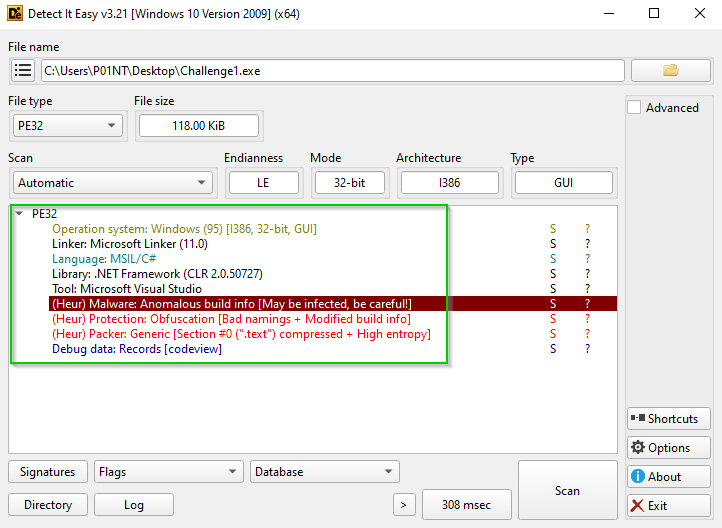 Figure (1): File information as shown by DIE
As is clear, it is a PE32 program written in C#.
2. Essential .NET Fundamentals
Before we start solving, we need to understand a few things about .NET programs, because they are completely different from C/C++ programs.
C/C++ Programs
When writing programs in C/C++, we use a compiler (such as GCC). In short, the program goes through two stages:
- Ahead-of-Time Compilation: the compiler takes the source code and converts it directly into machine code.
- Linking: external libraries are merged with the code to produce an executable (.exe).
C# (.NET) Programs
On the other hand, C#/.NET programs go through a different process, which we can call Managed Code: .NET programs are not compiled directly into machine language. Instead, they go through two stages and run inside a runtime environment called the CLR - Common Language Runtime.
Stage 1: Compile Time
When building a C# program, it is not converted directly into machine code. Instead, the following happens:
- A .NET compiler (such as Roslyn) converts the code into an intermediate representation called IL - Intermediate Language. It is a language similar to assembly, but it is not tied to any specific CPU architecture.
- This intermediate code is compiled together with the metadata into an assembly file with a
.dllor.exeextension. - This same file can be taken and run on Linux, Windows, and macOS.
Stage 2: Runtime
When you open the program, the CLR (the .NET runtime engine) takes over:
- The CLR reads the assembly file that contains the IL.
- It uses a compiler called JIT - Just-in-Time Compiler.
- The JIT converts the IL into native machine code at the very moment the program runs, converting only the parts that the program needs at that moment.
3. Running the Program and Observing Its Behavior
Let’s run the program and observe its behavior:
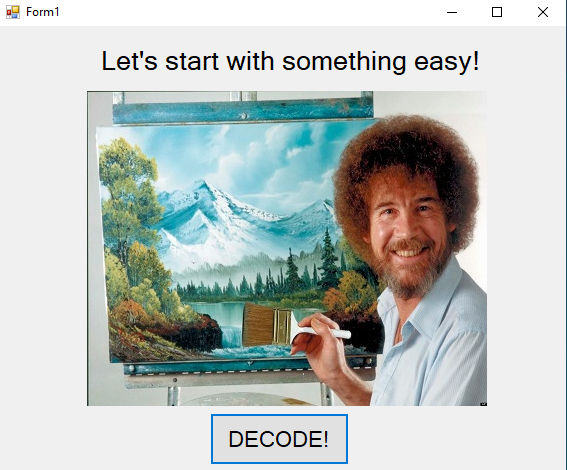 Figure (2): The initial program window
As you can see in the image, there is a character with “Let’s start with something easy!” written above it, and a Decode button below. When we press it, the image changes and appears as follows:
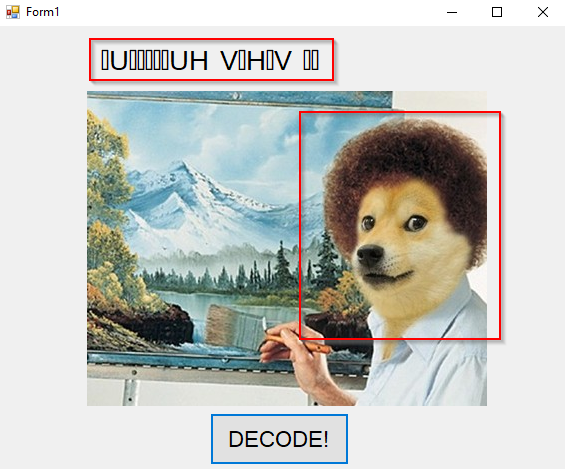 Figure (3): The window after pressing the Decode button
As shown, the differences are clear in the image. What we need here is to figure out the encrypted text visible in the image.
4. Decompiling with ILSpy
As we explained above about how .NET programs are compiled, this makes many things easier for us, such as working with a decompiler while being confident that the code it outputs is exactly the original code. That is why we will use the ILSpy decompiler to handle this program.
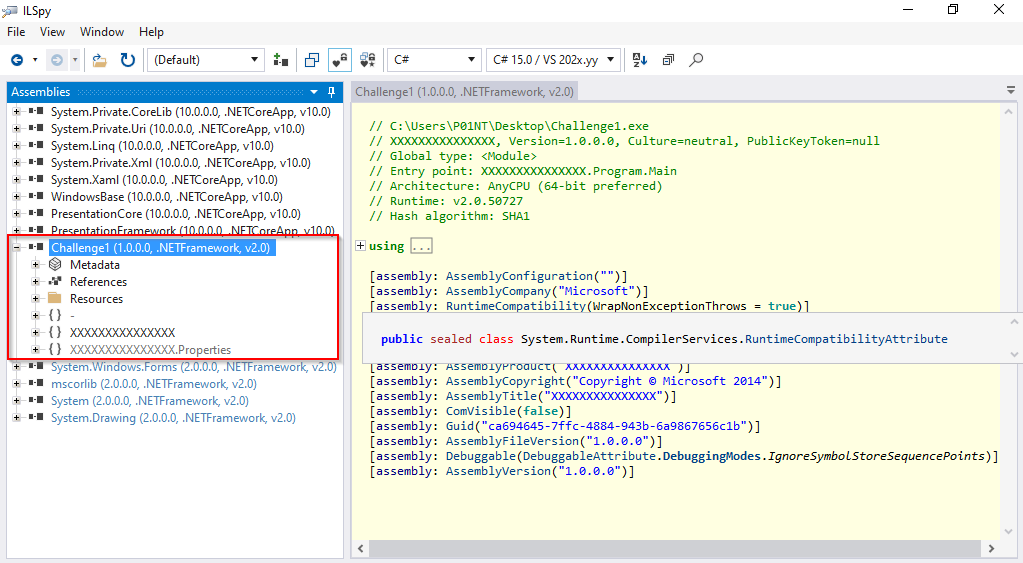 Figure (4): Opening the program in ILSpy
Since we are dealing with a Form, we will focus on the resources embedded inside it:
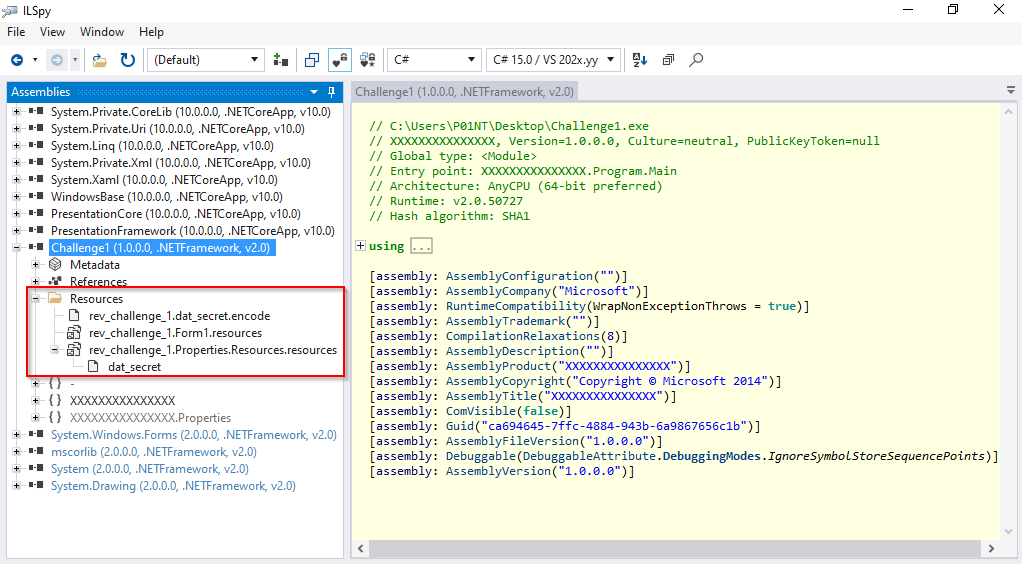 Figure (5): The resources inside the Form
As is clear, there are three files, and one of them is suspicious because it has the .encode extension — something related to encryption.
Now, let’s move to the core logic that contains the encryption algorithm, so we look into the Form’s code:
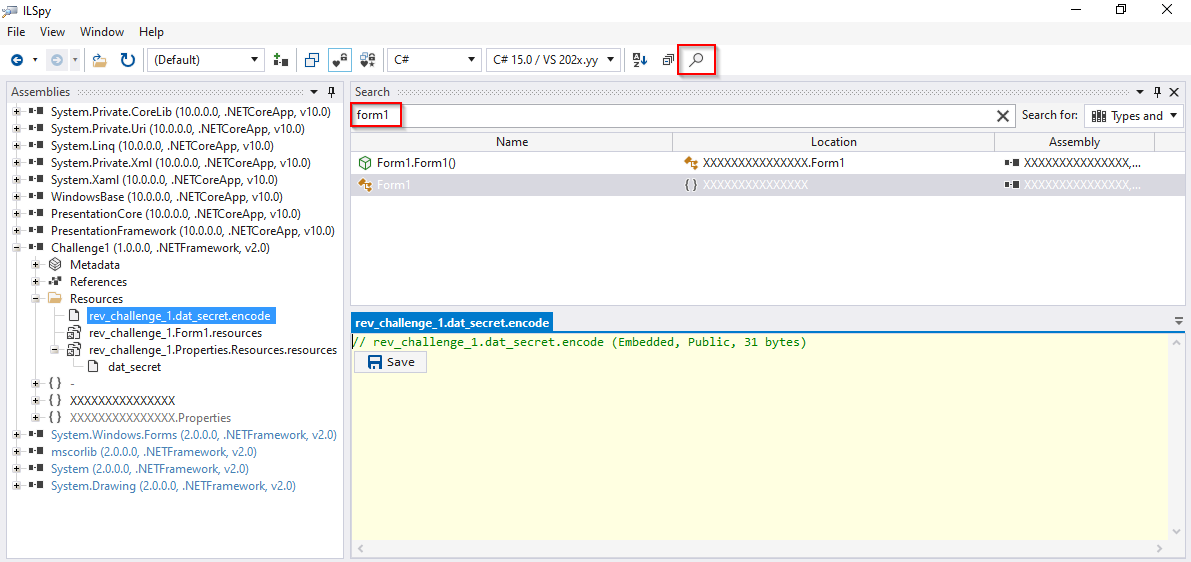 Figure (6): Browsing the Form’s code
The following code appears:
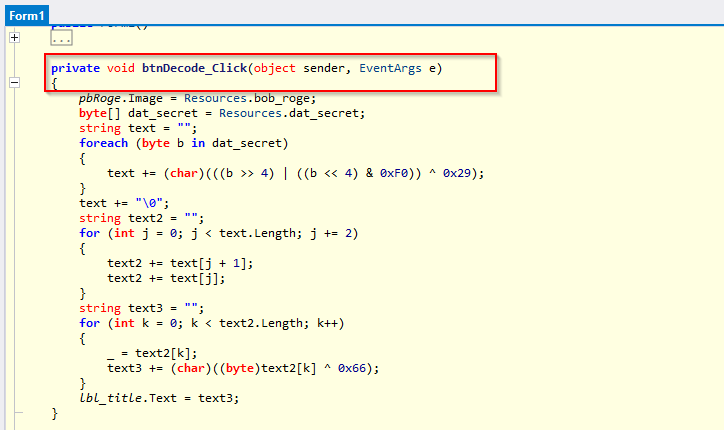 Figure (7): The code shown in the ILSpy window
btnDecode_Click: This pattern is the code behind the Decode button (what happens when you click it):
- First, the image is replaced with one named
bob_roge. - It declares a byte array named
dat_secret— the same one present in the Resources — which most likely represents the original text that gets encrypted. - The encryption algorithm is applied.
Here we notice the use of obfuscation. We will focus only on the text variable and the algorithm related to it:
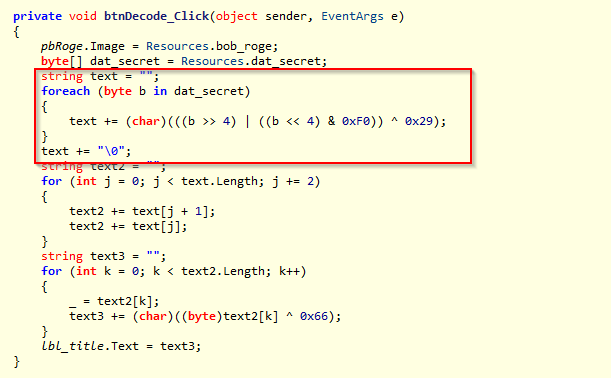 Figure (8): The algorithm in the code after removing the obfuscation
The algorithm consists of Nipple Swap and an XOR operation:
- Nipple Swap: for example, if we have the byte
0011 1100, applying the swap to it turns it into1100 0011; i.e., it swaps the right half with the left half. - After the swap, it performs an XOR with the value
0x29.
We simply ignore the rest of the code.
5. Writing the Solver Script
Now, we export the dat_secret file from the Resources:
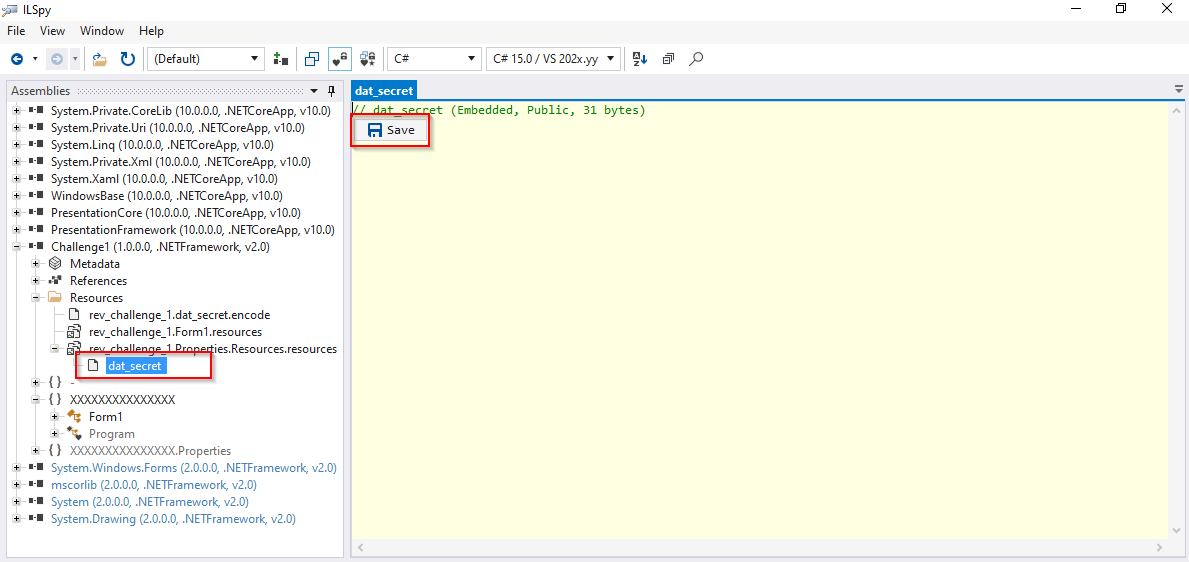 Figure (9): Exporting the dat_secret file
We will ask any AI model to write a Python solver script to decode the dat_secret file:
def decode_dat_secret(file_path):
    try:
        with open(file_path, 'rb') as f:
            dat_secret = f.read()
    except FileNotFoundError:
        print("File not found. Make sure 'dat_secret' is in the same directory.")
        return None

    text = []
    for b in dat_secret:
        # (b >> 4) grabs the high nibble
        # ((b << 4) & 0xF0) grabs the low nibble and shifts it up
        dec_val = ((b >> 4) | ((b << 4) & 0xF0)) ^ 0x29
        if dec_val == 0x00:  # stop at the null terminator
            break
        text.append(chr(dec_val))

    return "".join(text)


if __name__ == "__main__":
    file_name = "dat_secret"  # put the file path here
    result = decode_dat_secret(file_name)
    print("--- Decoded text ---")
    print(result)
Make sure the Python file is in the same directory as the dat_secret file.
We run the Python script:
 Figure (10): The text after decoding
And with this, we have successfully finished solving the challenge. To be continued, God willing.