بسم الله
In this article we will talk about process scheduling in general.
Process Types
If we have more than one process sitting in memory, how does the operating system execute them?
First we must know that processes come in types:
1. I/O-Bound Processes: Processes that request input/output frequently (like reading files), spending much of their time waiting for I/O to complete.
2. CPU-Bound Processes: Processes that consume a large amount of processor time and rarely require input/output (like complex computations).
The Operating System’s Role
So what is the OS’s role?
The operating system schedules these processes — meaning it picks which process should execute next, then the one after that, and so on — trying to balance between I/O-heavy processes and processor-heavy ones:
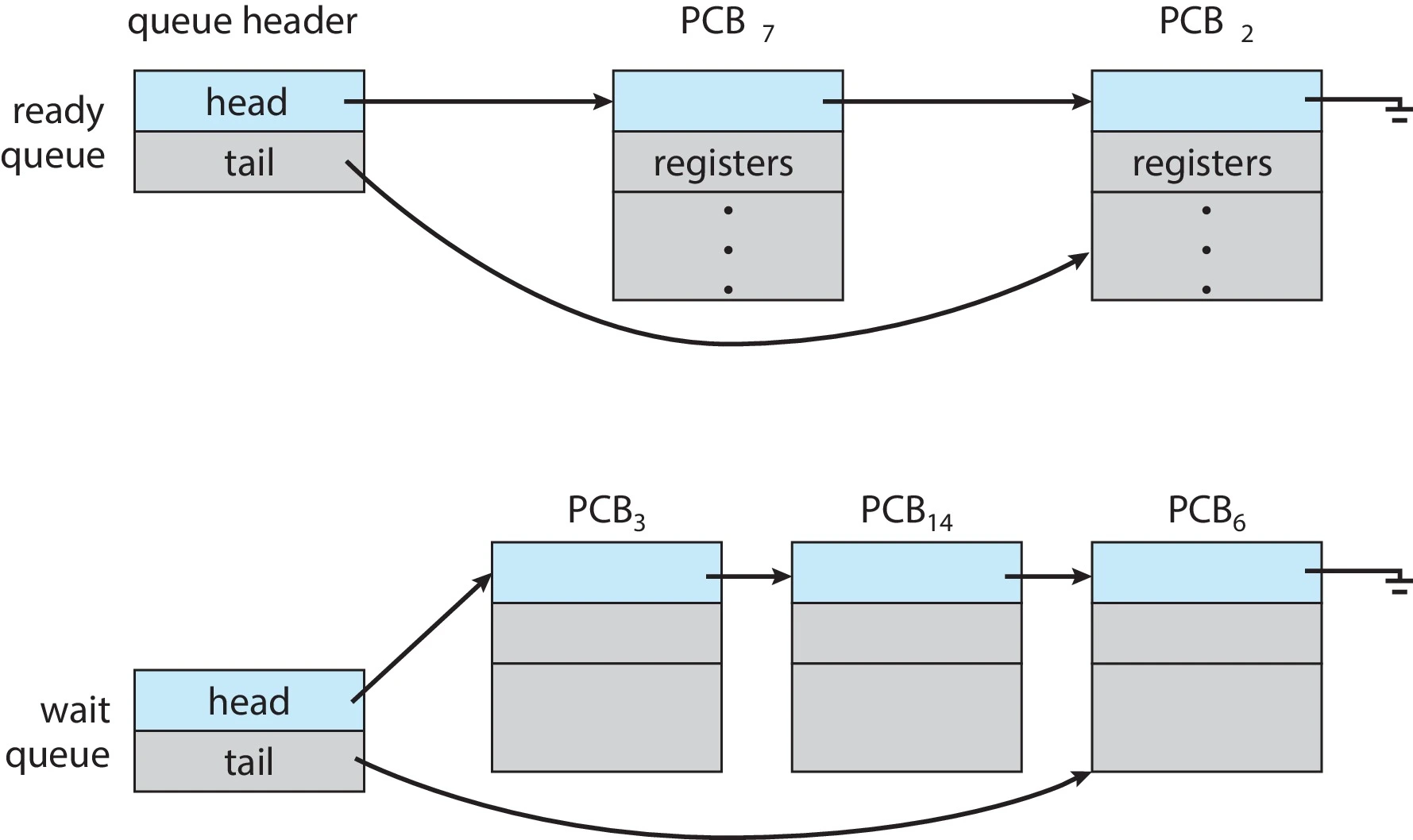 Figure (1): Two queues — one for readiness, one for waiting
Queues
What are queues? A queue works like a line at a counter: first in, first out — FIFO (First-In First-Out).
As mentioned, the OS maintains two queues:
The Ready Queue: Contains the PCBs of processes ready to execute, waiting to be picked for execution on the processor.
Wait Queues: Queues where processes await particular events, such as:
- Completion of an I/O operation.
- An interrupt.
- Termination of a child process.
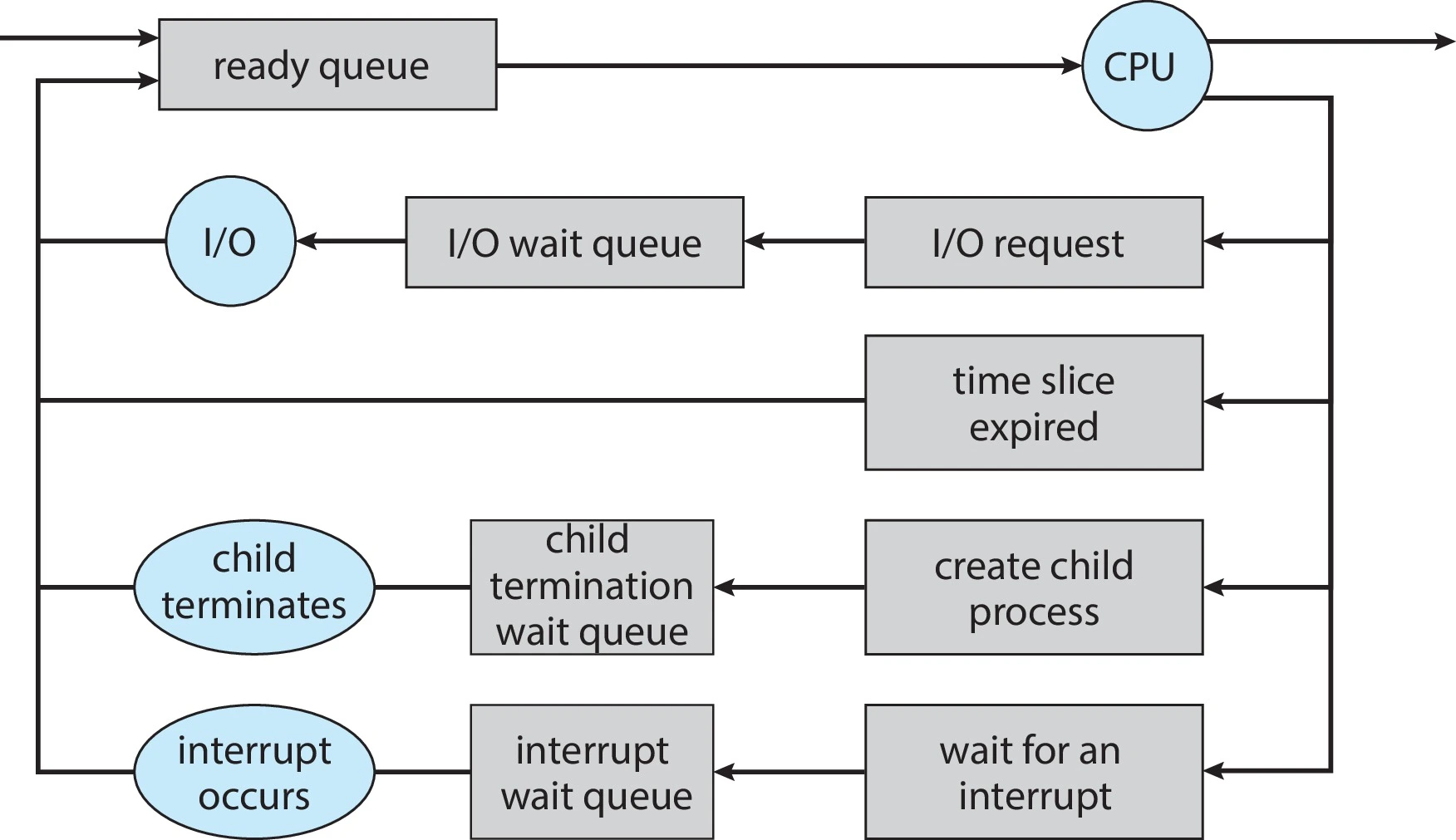 Figure (2): Processes moving between queues and the CPU
CPU Scheduling
Okay, how does the processor schedule these queued processes?
There are two kinds of scheduling:
1. Short-Term CPU Scheduler
What does it do? It looks for the next ready process and loads it onto the CPU for a “CPU Burst” of execution.
Why must it work extremely fast? Because a burst’s duration is very short (a few milliseconds); if the scheduler took time close to that, performance degrades.
Example:
Suppose we have a series of bursts each taking 3 milliseconds, and the scheduler takes 1 millisecond per decision:
Total time per cycle = 3 + 1 = 4 ms
Actual efficiency    = 3 ÷ 4 = 75% real execution
                       with 25% lost to scheduling overhead
2. Mid-Term Scheduling (Swapping)
This level of scheduling was introduced to solve resource shortage problems like main memory (RAM).
How does it work?
- It starts by swapping out processes — removing selected processes from primary memory.
- It then hands the freed memory space over to other processes.
- Later, when resources allow, it swaps those processes back into memory.
Context Switching
Scheduling works through something called context switching:
When a process is interrupted, the location of its Program Counter is saved automatically by the hardware into a place the operating system can reach. Depending on the computer architecture, the hardware may also save other parts of the process’s context. After the interrupt, the OS continues saving any remaining parts of the process’s context and stores them in the process’s PCB.
When the interrupt ends, the OS uses the saved context to restore the process — resuming its execution right from where it stopped:
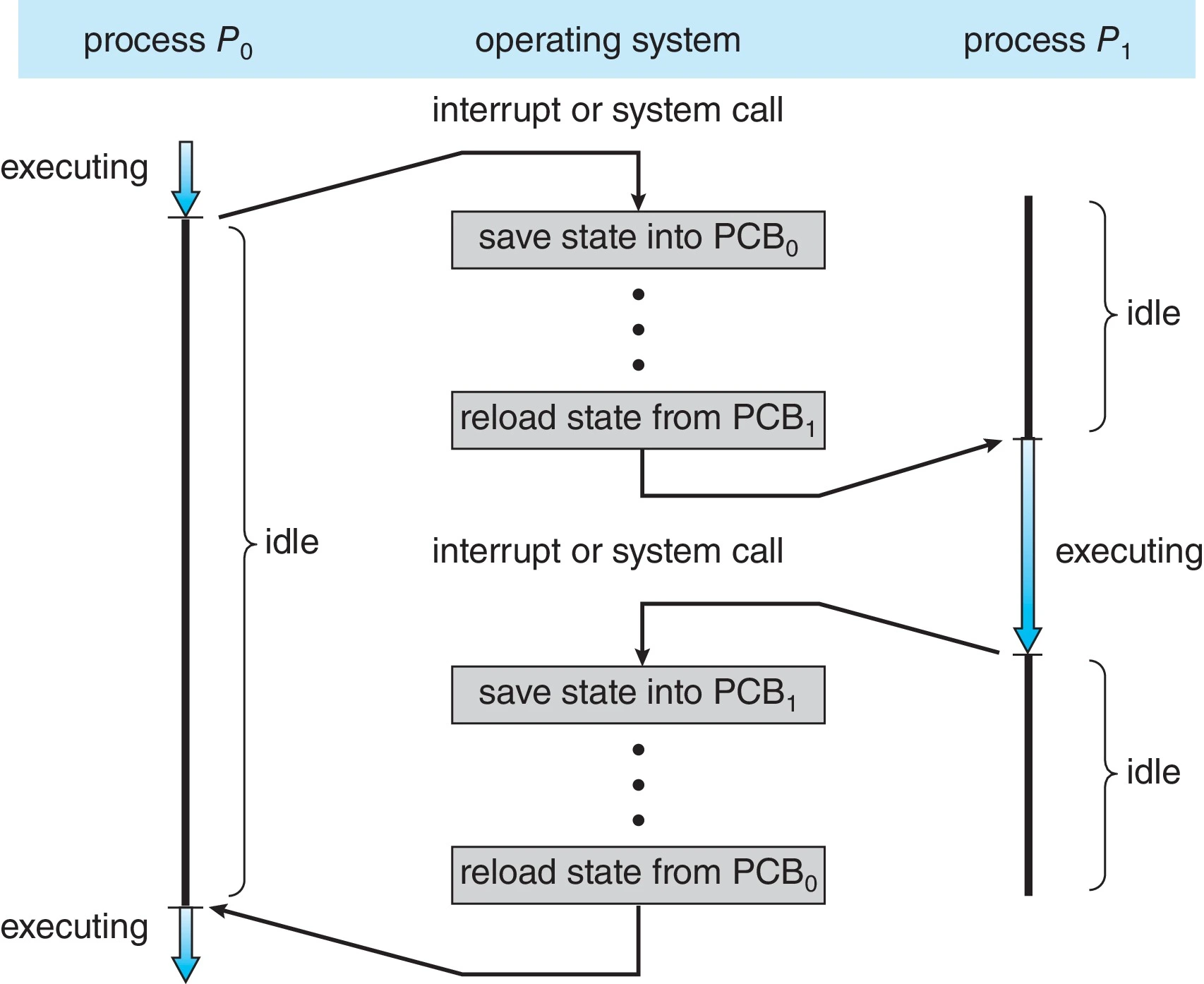 Figure (3): Saving and restoring the process context
Important note: the hardware saves part of the context automatically; afterwards the OS completes saving the rest.
Naturally, switching speed depends on the hardware and OS, usually landing in the microsecond range (a millionth of a second).
Keep us in your prayers.