بسم الله
Peace be upon you. Today I would like to talk with you about the structural foundation of operating systems in general, attempting to cover the following points:
- The Von Neumann architecture.
- The central tasks of an operating system (OS Central Tasks).
Let us begin.
What Is an Operating System?
Everyone living in this modern, technology-rich age has dealt with an operating system one way or another, and everyone has heard the term “Operating Systems” or “OS”. But!
What is an operating system really? How does it work? And how did we arrive at today’s operating systems?
Honestly, if you asked a layperson — or even some technical students — about the meaning of “operating system”, they might not manage to give you an explanatory definition; some would merely name specific examples like Windows and Linux. So let us start with the definition itself. Before offering my own description, let us look at how academic and international institutions defined the operating system.
In 2009, the Cambridge Dictionary defined an operating system as:
A set of programs that a computer uses to run and store files and communicate with devices and other computers.
In 2011 the same dictionary evolved this into:
A program that controls how a computer works and allows applications (programs for particular purposes) to run on it.
Then in 2013 another definition appeared:
A set of programs that control the way a computer system works, especially how its memory is used and how different programs work together.
The International Organization for Standardization (ISO) also issued a definition of the operating system in 2015:
Software that controls the execution of programs and that may provide services such as resource allocation, scheduling, input/output control, and data management.
You will also find that Merriam-Webster includes its own entry:
Software that controls the operation of a computer and directs the processing of programs (as by assigning storage space in memory and controlling input/output functions).
Across all these definitions you can find common ground — shared keywords (Keywords) that let you pin down the operating system’s fundamental tasks. From them we conclude the following:
The operating system is to the computer what the circulatory system is to the human body: look at the body and you find the circulatory system connecting all limbs, corners, and hidden depths — linking heart, lungs, liver, spleen, brain, and every organ together, carrying nourishment and managing the body’s resources. The same applies to the operating system: it is the computer’s circulatory system:
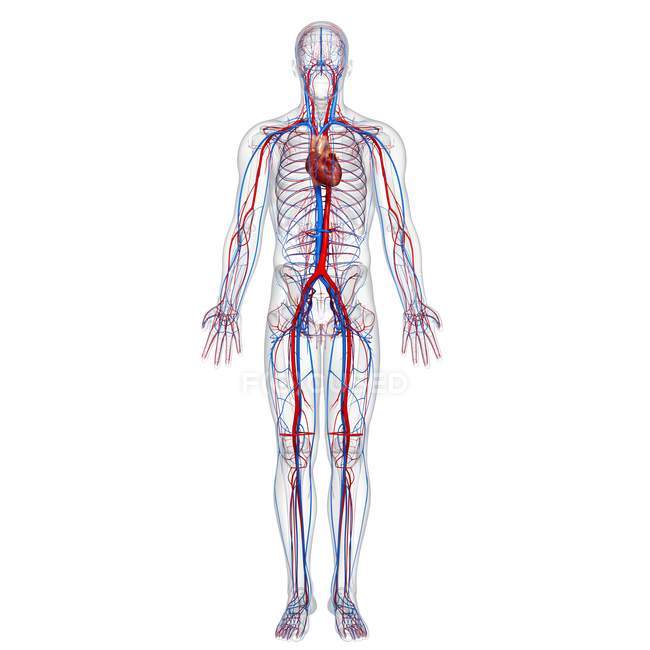 Figure (1): The OS as the computer’s circulatory system
OS Central Tasks
From these definitions we also derive the operating system’s basic functions:
- Organizing program management.
- Providing a user interface.
- Managing resources.
- Monitoring the system.
- Ensuring system security — a function that has become something of a cliché, yet remains true.
Andrew S. Tanenbaum says in his famous book Modern Operating Systems (Tanenbaum & Bos, 2015):
“The central tasks of an operating system are ’to provide user programs with a better, simpler, cleaner, model of the computer and to handle managing [hardware] resources’.” (p. 28)
That is, the operating system’s central tasks are: “to give user programs a better, simpler, cleaner model of the computer, and to handle managing [hardware] resources”.
Worth noting: this scientist is a professor of computer science at the Vrije Universiteit in Amsterdam, Netherlands. He is famous for the MINIX operating system — a free, open-source system built for educational purposes — and author of several books considered foundational references in their field (per Wikipedia):
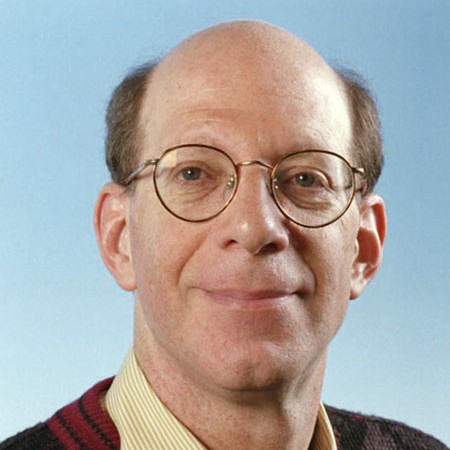 Figure (2): Andrew S. Tanenbaum
Now that we have all these definitions in mind, let us take a step forward and discuss the basic structure of computer systems from the physical side (Hardware) — a side I am no expert in, but “necessity knows no law”.
The Basic Structure of Computer Systems
If we want to talk about this structure, we should begin with the most important piece of hardware in a computer: the Central Processing Unit (CPU).
The processor is the thinking brain of the computer, just like the brain inside the human head.
The processor is a standalone machine in itself, given its internal complexity — a machine inside a machine (“Machine Inside a Machine”). A tidbit for you, dear reader: technical experts usually call any computing device a Machine even when modern devices sometimes lack a mechanical aspect, and the same word extends to virtual operating systems — we are talking here about what is called Virtualization.
Von Neumann Architecture
Briefly put, the processor fetches instructions from memory, decodes them, executes them, then repeats the entire cycle continuously until the machine is powered off. We call this the “von Neumann cycle”, and it was later adopted as the fundamental structural basis of computers and named after its originator: the Von Neumann Architecture.
Von Neumann was a Hungarian-American scientist. To this day, every computer — desktop, tablet, or smartphone — uses the same underlying structure, though it has naturally been developed over time. This is still the foundation:
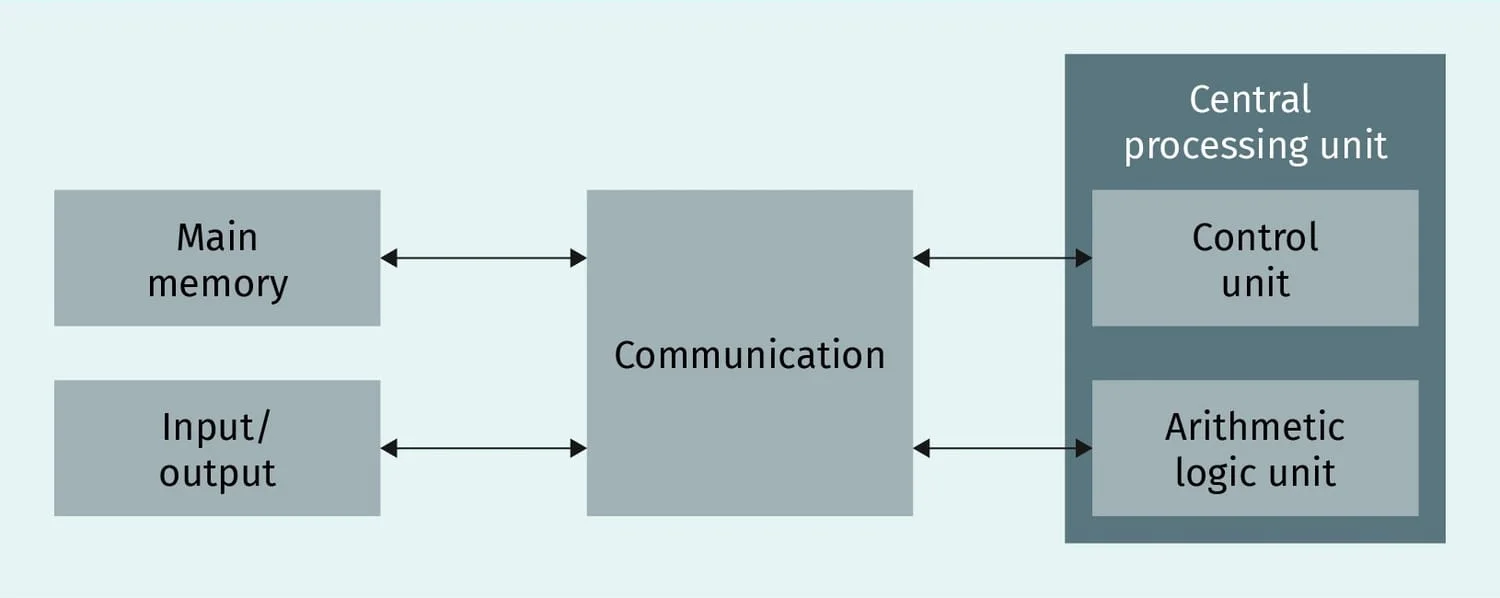 Figure (3): The Von Neumann architecture
The Processor (CPU)
The processor is the thinking brain of the machine and the beating heart of this architecture. It consists of two main units: the first is the Control Unit, and the second is the Arithmetic Logic Unit (ALU).
• Control Unit: Responsible for executing programs — running them — and loading instructions from Main Memory into the processor. It also decodes those instructions and coordinates their execution.
• Arithmetic Logic Unit (ALU): A unit performing arithmetic and logic operations — adding numbers, for example — and then storing results in registers inside the CPU without needing to go back to Main Memory. In other words, the operation is very fast because it skips the main memory stage entirely.
Main Memory
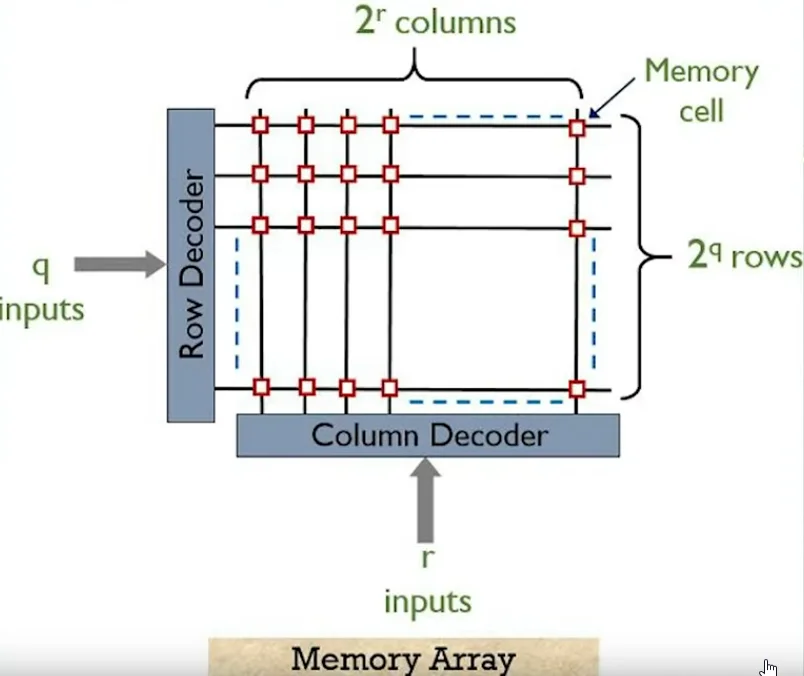 Figure (4): Main memory cells and their addresses
Main memory’s essential purpose is random access, hence the name RAM: Random Access Memory. In other words, the processor can reach any location instantly — any piece of information, anywhere, at any moment — which is why programs are loaded into it during execution.
Worth noting: memory consists of Cells as shown in the image; each cell holds a single value, 0 or 1, and each cell has an address marking its location within memory.
Input/Output
Briefly, this component connects the user to the system on the input and output side: it links keyboard input to the system, as well as access to storage units, network access, and so on.
Communication System
This is the system tying all the components of the von Neumann architecture together — via the Bus.
Summary of the Execution Cycle
Having explained the von Neumann architecture, let us summarize it in a few lines:
- Fetch Instructions: the processor fetches instructions from main memory. For this purpose it sends the Program Counter’s contents over the Address Bus — carrying the address of the next instruction to be fetched — after which memory returns the requested instruction over the Data Bus.
- Decode Instructions: the processor interprets the fetched instruction to determine the required operation type and the operands it applies to.
- Fetch Operand: the processor loads the operands the instruction will act upon.
- Execute Instruction: the processor carries out the arithmetic or logic operation, then advances to the next instruction using the Program Counter.
- Store Result: once the operation finishes, results are stored either in main memory or temporarily in registers.
If I have done well, it is from God; if I have erred, it is from myself and Satan.
Remember us in your prayers.